
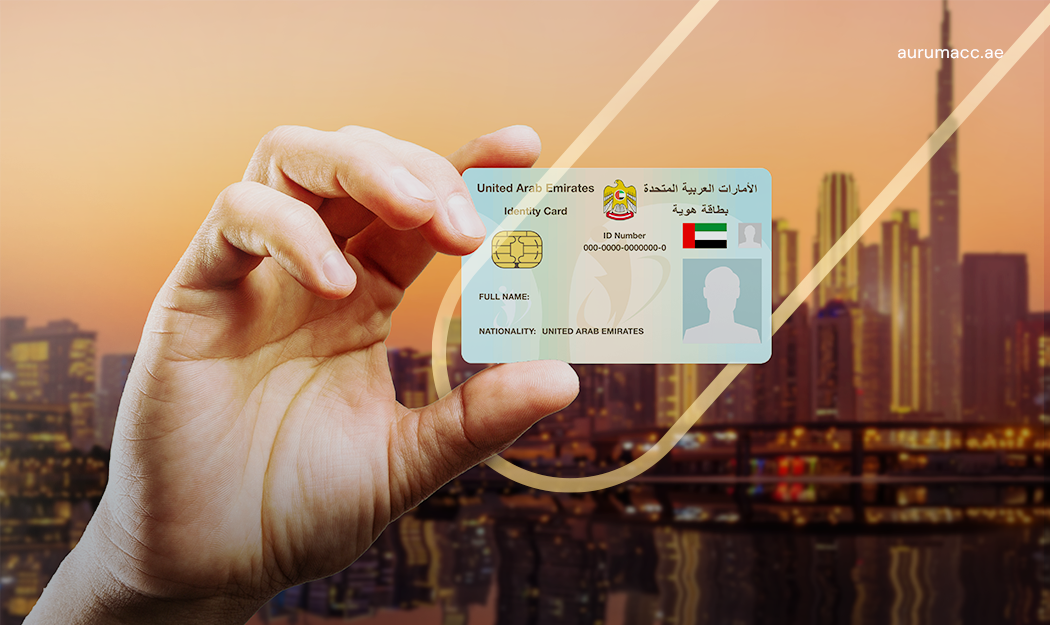
If you plan to live, work, or do business in the UAE, the Emirates ID is the first credential you’ll rely on every day. Issued by the Federal Authority for Identity, Citizenship, Customs & Port Security (ICP), it’s the card that proves who you are, links to your biometrics, and unlocks services across government and the private sector. In this blog, you will understand what is Emirates ID, who needs it, including Emirates ID for expats, and how to apply for Emirates ID UAE with a clear, realistic process for your new Emirates ID application.
What is Emirates ID?
The Emirates ID is the UAE’s national identity card. It carries your personal details on an encrypted chip, ties them to your fingerprints and photo, and assigns a permanent identification number. Because it’s recognized across ministries, banks, and service providers, the card lets you identify yourself securely both in person and online (for example, through UAE Pass).
Who needs it?
Everyone who resides in the UAE must hold a valid Emirates ID:
- UAE citizens use it for identity verification, public services, and civic processes.
- GCC nationals living in the UAE use it in the same everyday contexts as citizens.
- Expatriate residents present it as proof of legal residency; the card is linked to their residence records.
- Children and newborns are registered by their parents during the family’s residence process.
Where You Will Use Emirates ID
You need your Emirates ID for everything, from opening bank account to getting your children admitted to the school. The detailed uses are as follows:
Service area | Uses with Emirates ID |
|---|---|
Banking & financial services | Account opening; KYC verification; credit cards/loans; high-value transactions; digital banking activation |
Telecom (mobile & home internet) | SIM registration; postpaid/prepaid activation; home internet installation; number portability |
Healthcare | Patient registration; insurance linking; hospital admissions; e-prescriptions |
Housing & utilities | Tenancy contracts (Ejari/Tawtheeq); electricity/water activation (DEWA/SEWA/EtihadWE); gas connection; chiller setup |
Government & visa services | Residence issuance/renewal; dependent sponsorships; e-government portal access (via UAE Pass); fines/fees payments |
Travel (airports) | eGates/Smart Gates for UAE residents & citizens; faster immigration clearance |
New Emirates ID Application Process
Step 1: Choose Your Channel
There are many options to apply for Emirates ID UAE. You can submit the application through ICP Smart Services (web), the UAEICP mobile app, or an authorised typing centre if you prefer guided support. But, if you want a hassle-free fast process, you can partner with Aurum to apply for your Emirates ID.
Step 2: Understand the Document Requirements
The document requirement depends on various factor: visa status, nationality, age group:
Applicant category | Required documents |
|---|---|
UAE Nationals | Original birth certificate (first-time applicants), applicant’s passport, passport-size photo & residency proof |
GCC Nationals | Valid passport, valid GCC ID card, passport-size photo, proof of residency (e.g., trade licence, study certificate) |
Expats / Residents | Valid passport with a valid residence permit, passport-size photo, proof of residence (e.g., tenancy contract, utility bill) |
Children under 15 | Original birth certificate, passports of both parents, passport-size photo of the child |
Aurum team can guide you on exact document requirements and also support you in preparing them so you don’t need to face any issues.
Step 3: Submit and Pay
You will enter names and dates exactly as they appear in your passport. Then, you will make the payment. If you are applying through Aurum, we will handle your payment process too.
Step 4: Attend Biometrics (if requested)
If you are applying for the first time, or ICP asks you to update your details, you will receive an SMS with the date, time, and location for biometrics at an ICP service centre (Customer Happiness Centre). Bring your passport and entry/residence document. Children’s biometrics depend on age; follow the instructions in the SMS.
Step 5: Receive Your Emirates ID
You can use the PRAN/reference to check status of your Emirates Id. When the card is printed, you will get an SMS with Emirates Post pickup details or courier options. While you wait for the actual card, till then, you can use the digital Emirates ID in the UAEICP app. It is widely accepted for routine counters and deliveries.
How Long It Takes:
After biometrics, most applications complete within a few days and up to about two weeks. The timeline for Emirates ID depends on the emirate and season. If you need the card urgently, the 24-hour service available at ICP centres which is called Fawri. However, this service is only limited to UAE national and GCC national if they are making a new Emirates ID application. The expats are eligible for this service if they are re-applying for a lost or damaged card.
Cost for Emirates ID
The cost for your Emirates ID depends on your category whether you are a citizen, GCC national or a resident. Also, what validity of your card you selected, and the channel you use: online or typing centre. Residents pay a per-year card fee aligned with visa validity plus small service/typing fees. Fawri adds an urgent-service charge. Fees change from time to time. Therefore, you should confirm the live amount on ICP before paying or consult Aurum team if you need our support.
Renewal of Emirates ID
Treat renewal as part of your residency routine. Residents usually renew the Emirates ID after renewing the residence visa, while citizens and GCC nationals can renew ahead of expiry. There is a short grace window, but late renewals can attract daily fines and may disrupt banking, telecom, or visa services, so renew early. The steps mirror the first application: submit, pay, attend biometrics if asked, track, and collect. Aurum can also help you with the renewal process.
Emirates ID: Lost, Stolen, or Damaged
You will need to report the issue through the ICP portal/app or at a centre. Then, you will submit a replacement request and pay the applicable fee. After doing that, you will receive message updates for your Emirates ID status. Once it’s ready, you can collect via Emirates Post or courier. If you later recover the old card, surrender it; once a replacement is issued, the original is deactivated. You can use the digital Emirates ID meanwhile to keep daily tasks moving.
Apply for Emirates ID UAE with Aurum
Aurum, the RAKEZ Accelerator can coordinate your Emirates ID application alongside RAKEZ company setup and visa services.